Your WhatsApp answers and books, also when you can't.
An AI assistant on your business number: it answers with your data, books in your calendar and hands you the chat when a person is needed.
On Meta's official WhatsApp API
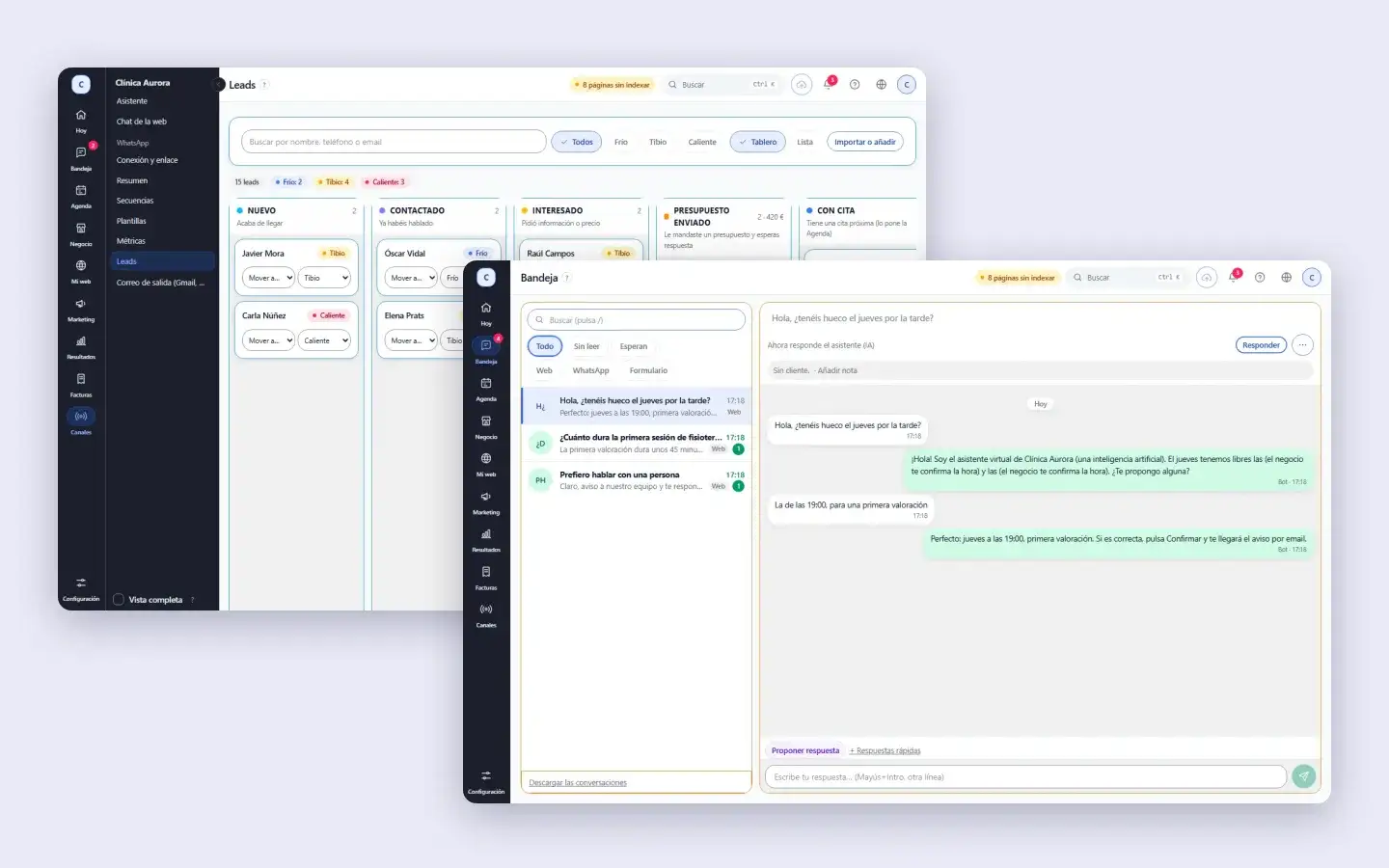
It attends your WhatsApp as your front desk would.
Your customers write when it suits them, not when you can answer.
Answers right away
With your services, prices and opening hours, at any time. It says it is an AI and, if it does not know something, it does not make it up.
Books appointments
It checks the free slots, proposes a time and books when the customer says “yes”. It also changes and cancels.
Reminds appointments
A WhatsApp reminder, with a template approved by Meta, to those who accepted it.
Hands over to a person
When the customer asks, your team takes the chat from the Inbox, within your opening hours.
Sorts your contacts
Each person who writes becomes a card with a stage and a temperature, and you know whether they came from a Meta ad.
Measures what happens
Messages received, replies by the assistant and by your team, and templates sent, by period.
You see everything and decide how it attends.
Pick a tab and look at the real screen of the panel, with sample data.
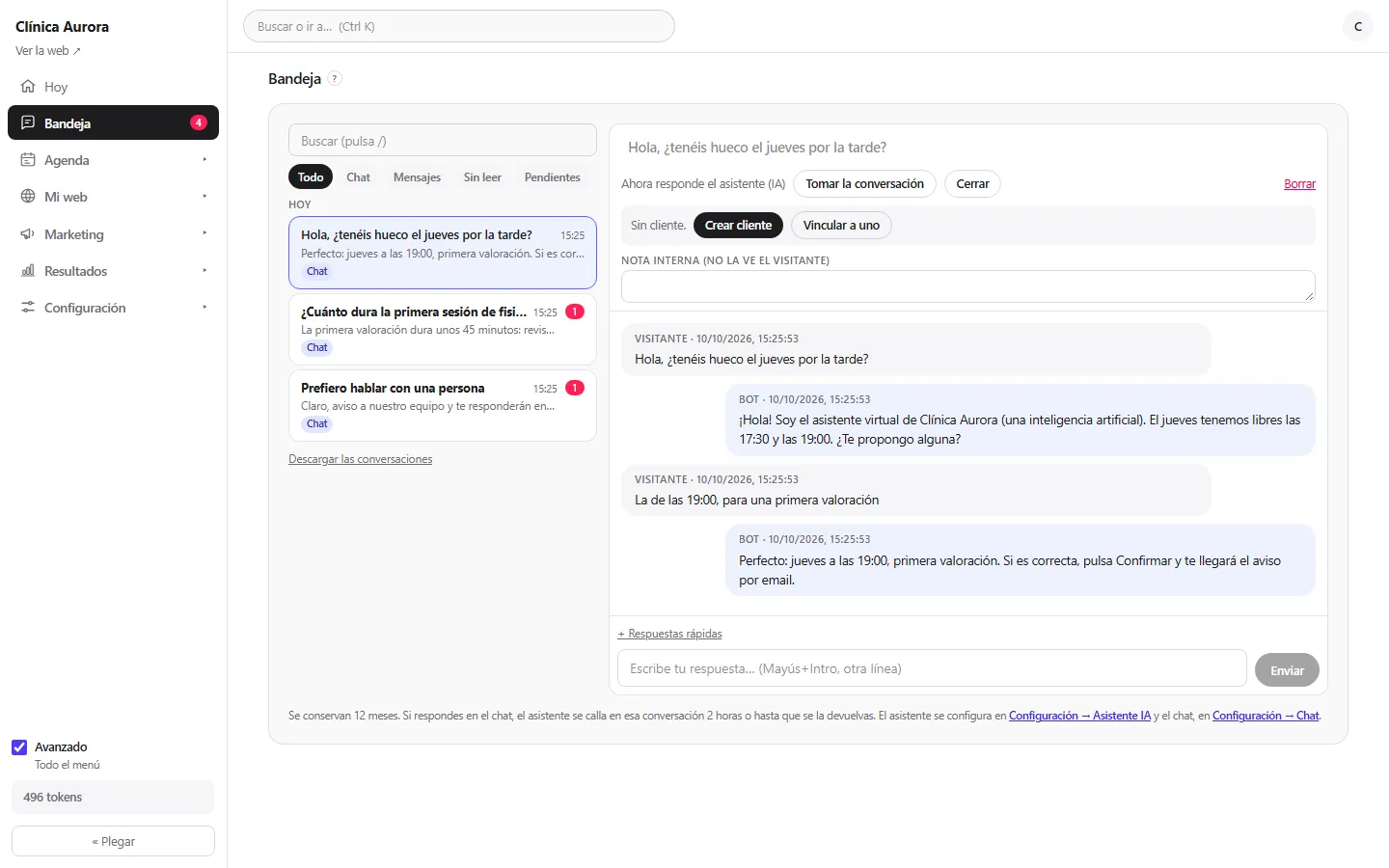
Inbox
You read what the assistant answers and take over the chat whenever you want, from the computer or the phone.
- Internal notes the customer never sees
- “Suggest a reply”: the AI drafts and you review before sending
- A notice right away when someone asks for a person
What it never does.
- Book without the customer's “yes”: it always sums up the appointment and waits for confirmation
- Make things up: if a price, a time or a service is not in what you gave it, it says so and tells your team
- Pass itself off as a person: it introduces itself as a virtual assistant
- Read or answer with AI those who have not accepted it: “STOP” always works
- Send offers to those who did not ask: follow-ups only reach those who accepted them
From the meeting to your WhatsApp answering.
Meeting
Services, opening hours, frequent questions and the tone you want it to speak with.
Your number on official WhatsApp
We connect it to Meta's official API with your account; you add your payment method in Meta.
Your calendar
We connect your Google Calendar or set up your calendar in the panel.
We test together
We write to it as a customer would, adjust what is needed and Meta approves the reminder templates.
Before you start.
Meta bills WhatsApp messages directly to your business, in your own account and at its current rates. Axon does not resell them: it shows you the estimated cost.
Meta decides that depending on your account. Before starting we tell you whether your number can stay in the app as well or whether a new number for the assistant is better.
It depends mostly on Meta's verifications (your account and your templates). We give you the timing in writing when we start.
No. Axon Bot is hired on its own, with its panel and its calendar. If you also have your website on Axon, the same assistant attends in both places.
See it answering with your business data
In 30 minutes we show you the assistant, the Inbox and the pipeline with your industry.
Book a demo