Appointment software for your business: how Axon works
What Axon includes for a business with services: website in three languages, online booking, AI assistant, shop, campaigns and invoices. Use what you need.

Appointment software for your business has to adapt to what you do, not the other way round. If your business is neither a clinic nor a hair salon, Axon starts with a base template and you switch on what you need. This guide explains what it includes and how each piece works, so you can decide whether it fits.
A complete website to start with
The base template carries what almost any business with services needs: a home page, services, frequently asked questions, a blog, location and a contact form. It is in Spanish, English and Catalan, with one address per language, and you can add more languages with the help of AI. Everything is edited from the panel: texts, photos, colours, typography, menu and the look of the sections.
What you do not use, you switch off, and what Axon cannot stand behind for you (reviews, figures, guarantees) is never published on its own. You can connect your own domain.
Calendar and bookings
If your business works by appointment, you switch on the calendar. Each service carries its name, duration, price if you want to show it, and who does it. Your clients choose service, day and time in the website's calendar, and the calendar never gives the same slot twice. One appointment can combine up to five services, and you can have several locations, hours per person, public holidays and absences.
Each appointment has its own page to move or cancel it, and the slot that is freed goes to the waiting list. With Google Calendar or Outlook, appointments appear in your calendar and what you already have blocks those hours. If you offer video calls, the service carries its video call link: Google Meet with Google Calendar connected and, otherwise, a Jitsi room.
Reminders and no-shows
The reminder goes out one day before by default by email, and you can add another. With SMS switched on, also by SMS, and with Axon Bot on WhatsApp with a template approved by Meta, only to people who agreed to it. You mark «No show» and decide what the website does with people who accumulate them: nothing, leave their booking as a request, or not accept it online. If you want, you ask for a deposit when booking, charged in your own Stripe account.
The assistant
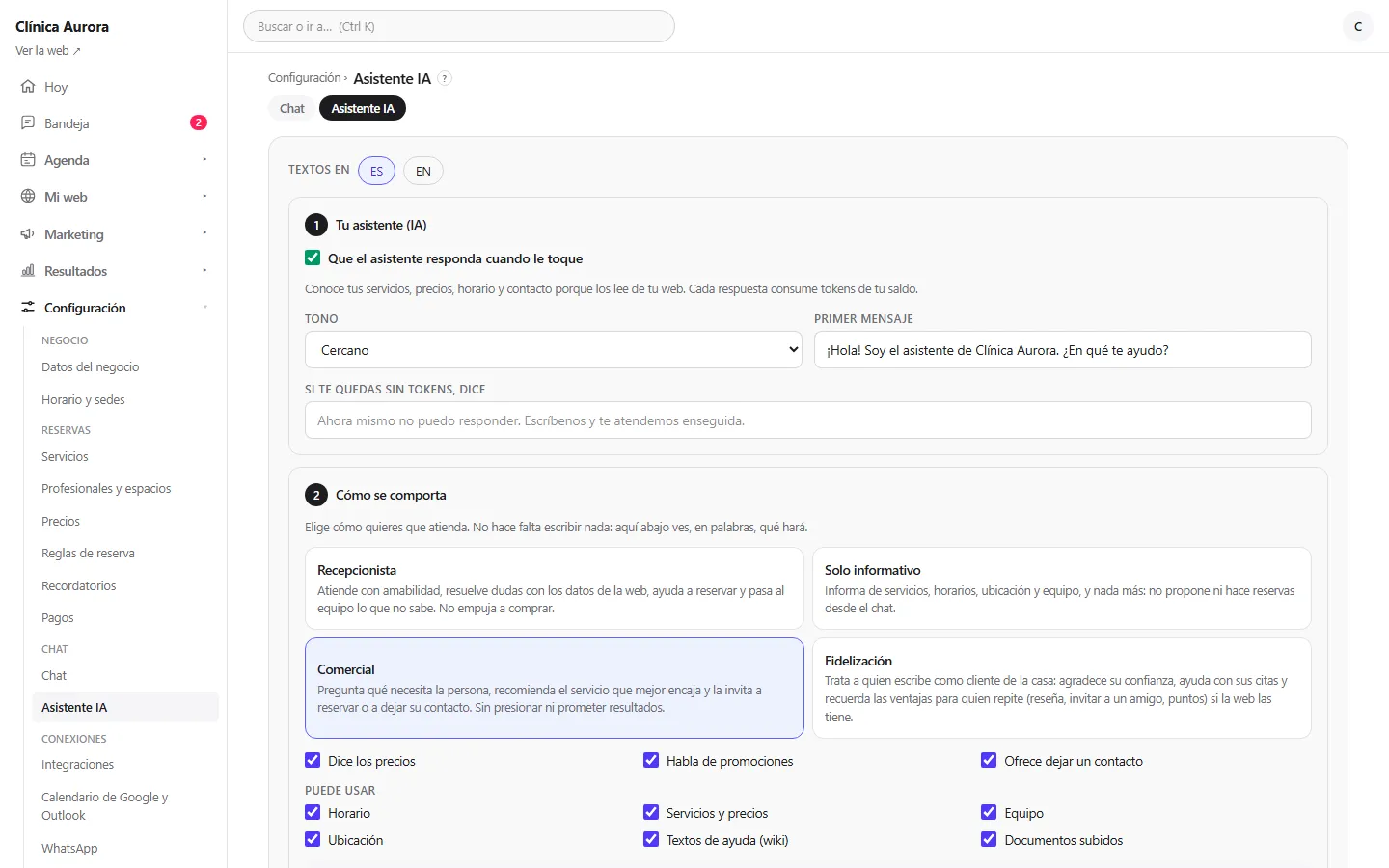
The AI assistant looks after your website chat and, with Axon Bot, your WhatsApp, at any hour. It answers with your data (services, hours, address), says it is an AI, does not invent prices or hours, and proposes appointments that are only booked once the person presses Confirm. If it does not know something, it alerts your team, who answer from the inbox. You choose whether it only informs or also books.
Selling, getting paid and invoicing
With the shop you sell physical or downloadable products, and also passes and tickets, charging in your own Stripe account, with coupons and the «bring a friend» invitation. If you have a menu, you take takeaway orders. To get paid by your clients, you issue invoices from the panel with your tax details, your own series, gap-free numbering and PDF; you can send them by email, schedule recurring ones and send payment reminders. You can also record expenses and read a received invoice in PDF with AI: the AI fills in the expense and you review and save it.
Growing without losing control
There are optional tools you can use when you need them:
- campaigns to many clients at once, only to people who agreed to receive them;
- follow-ups: reviews, «time to come back», birthdays and clients who stopped coming;
- a leads funnel, with stage, temperature and interest;
- giveaways with email confirmation and a random winner;
- an SEO audit with a score and what to improve;
- short links and QR codes with their visit counts;
- webhooks and a read-only API to connect other services.
Your team
The panel has roles: the owner sees everything, an editor changes the website and reception runs the calendar. If you have a team, the time clock lets people clock in, take breaks and clock out from the panel; it is born switched off and you activate it when you ask for it. Two-step verification protects access.
What it does not do
Axon is not medical records software and does not handle health data. The hotel and estate agency websites are basic templates, with no management of nights or property records. If you need something like that, we tell you before you start.
Axon Web and Axon Bot, together or separately
Axon is two products. Axon Web is your website, your calendar and the website assistant. Axon Bot is the AI assistant on your business's WhatsApp, using Meta's official API. You can use the website alone, or add Axon Bot: without it, what arrives on WhatsApp waits in the inbox and your team answers.
How to start
Tell us what you do: we show you your website, your calendar and your assistant with your sector in a demo, and you can check the plans under Pricing. You choose the sector that looks most like yours (or «other business»), the website is born with sample texts and you change them from the panel.