Class booking with limited places for gyms and studios
How to manage class booking with limited places in a gym or studio: spaces, weekly timetable, trial class, waiting list and who is attending.
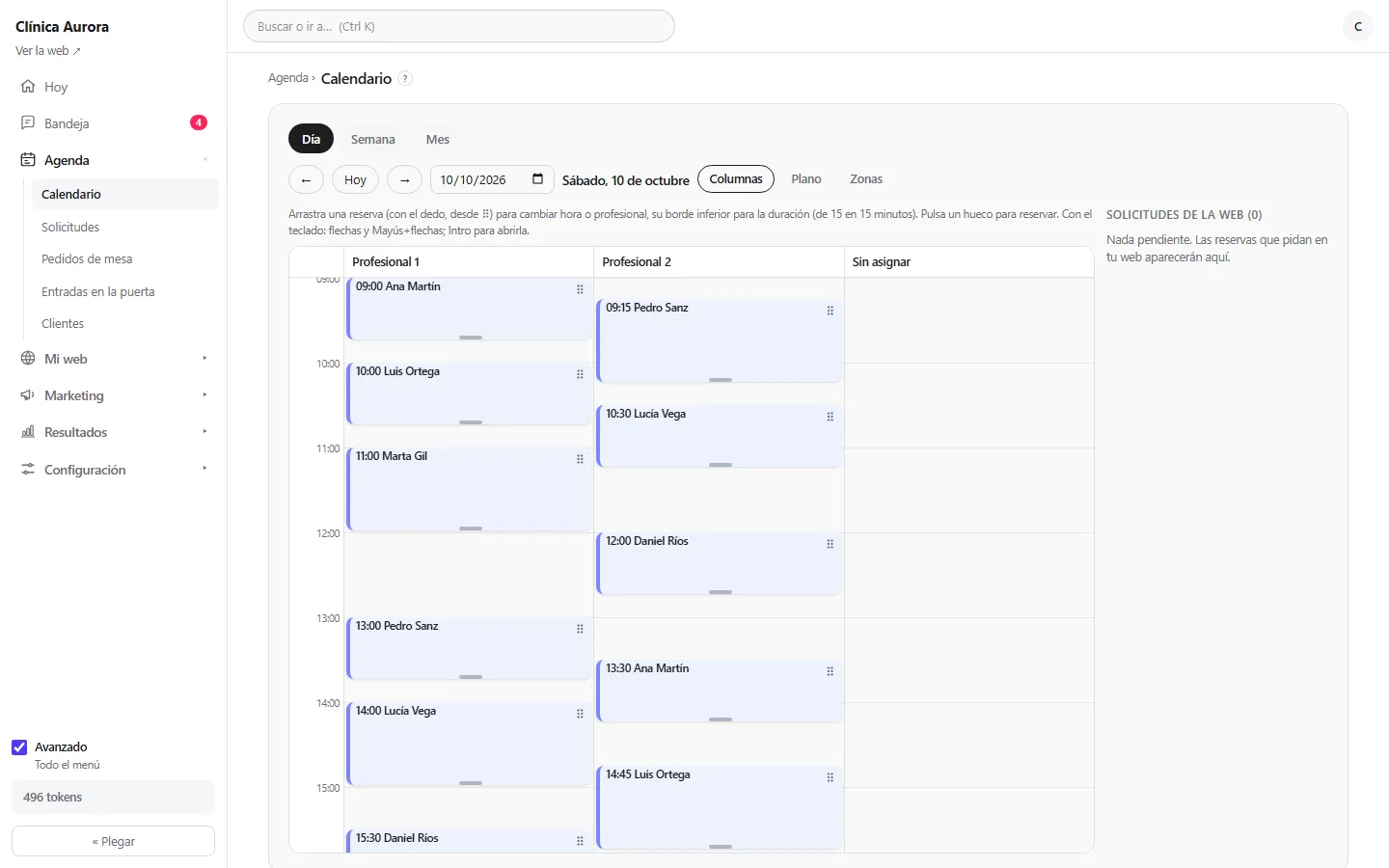
A class with limited places has two opposite problems: it fills up and people are left out, or places go spare because those who booked did not come. Class booking with limited places in a gym or studio works better when the website counts the places for you and the diary tells you when something frees up.
This is what Axon does today with classes, and what the centre still decides.
Classes with a fixed timetable and places
A class is a service with fixed times and a number of places. You define when it runs, how long it lasts and how many people fit. The website only offers the class times, and only while places remain.
Places are counted per person. If someone books for three, they take three. The website checks this when it offers the times, showing only those where the group fits, and the server checks again at the moment of saving. Two people booking the last place at the same time cannot overlap: one of them is told it is already full.
The team, from the panel, can go over the limit if they decide to on purpose, for example to add someone they know. That is a decision for whoever is attending, not for the website.
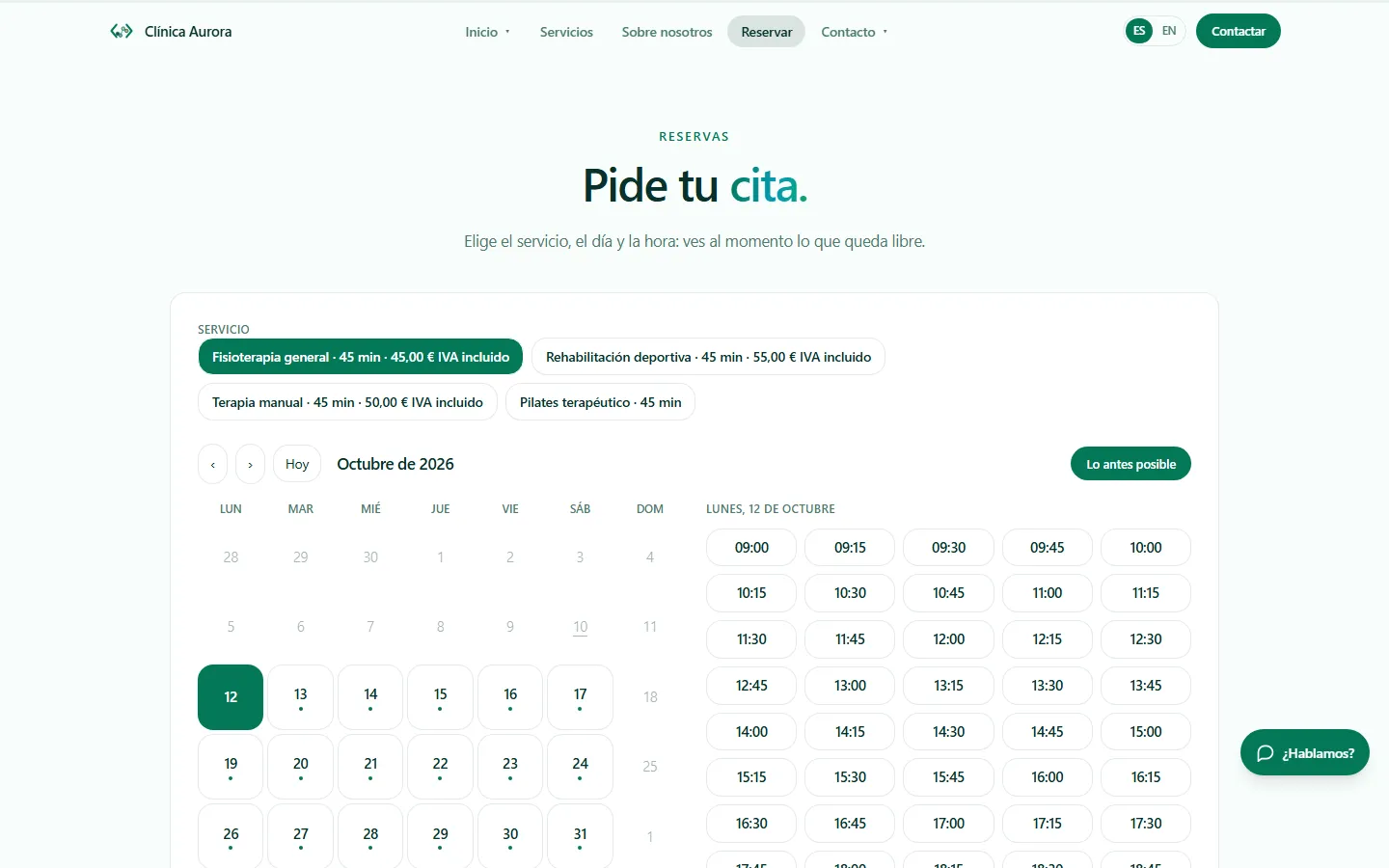
The week's timetable
Besides the calendar, the website offers the "Class timetable" view: the whole week with each class, its places and the ones that are full. Pressing a class opens its day with that class already selected. It is the view closest to the timetable board of a traditional gym, but with the places up to date.
On a phone, the calendar shows a strip of days you swipe, with the times right below, so that booking with a thumb is comfortable.
Full class, waiting list
A full class shows as "Full". On pressing it, the client can ask to be told if a place opens up at that time: they leave their email and sign up. When someone cancels, those on the list receive a notice with the link to the calendar for that day. The notice does not hold the place: whoever gets there first books.
The waiting list is its own page, Agenda → Waiting list, showing who is waiting and at what time. From there you can book each person a place with one click or remove them. Under the calendar there is a "Waiting list (N)" link.

Trial class, once per person
To win new members, a service can be marked "Trial: once per client". The website accepts that class only once per person, checked by email or phone. If they try to repeat it, they get a notice. The panel is not limited: you can give someone another one.
Keeping places from going to waste
Each booking gets its confirmation and a reminder, by email, SMS or WhatsApp depending on what you have switched on and what the client has agreed to. The client can cancel or change from their booking page, within the limits you set; the sooner they cancel, the sooner the place is free for the waiting list.
No-shows are counted too. Each person's record adds up their "No-show" marks, and you decide whether the website keeps letting them book, leaves their booking as a request or does not accept it.
Who is coming to each class
The panel shows the attendees of each class. Under Today, classes whose time has started are marked "Attended" or "No-show" for each person. If the person has a pack, the session is deducted when marked as attended, and if it is unmarked, it goes back.
Keeping people coming
With the places in order, the next challenge is that people keep coming. Axon includes loyalty points, follow-up of people who stop coming and campaigns by segment, for example "not seen for" a given time, always to those who agreed to receive notices.
What you decide
How many places each class has, when a booking closes, whether there is a trial class and what to do about no-shows. The tool applies the rules; it does not promise that the room will fill.
It is worth trying the whole flow as a client before opening it: book, fill a class, join the waiting list and cancel to see which notice goes out.
Next step
If you want to see your class timetable with real places, book an Axon demo. Plans are under Pricing.