Website with booking for law firms: how Axon works
How Axon works in a law firm: a website with practice areas, first consultations by appointment or video call, reminders, assistant and invoices.
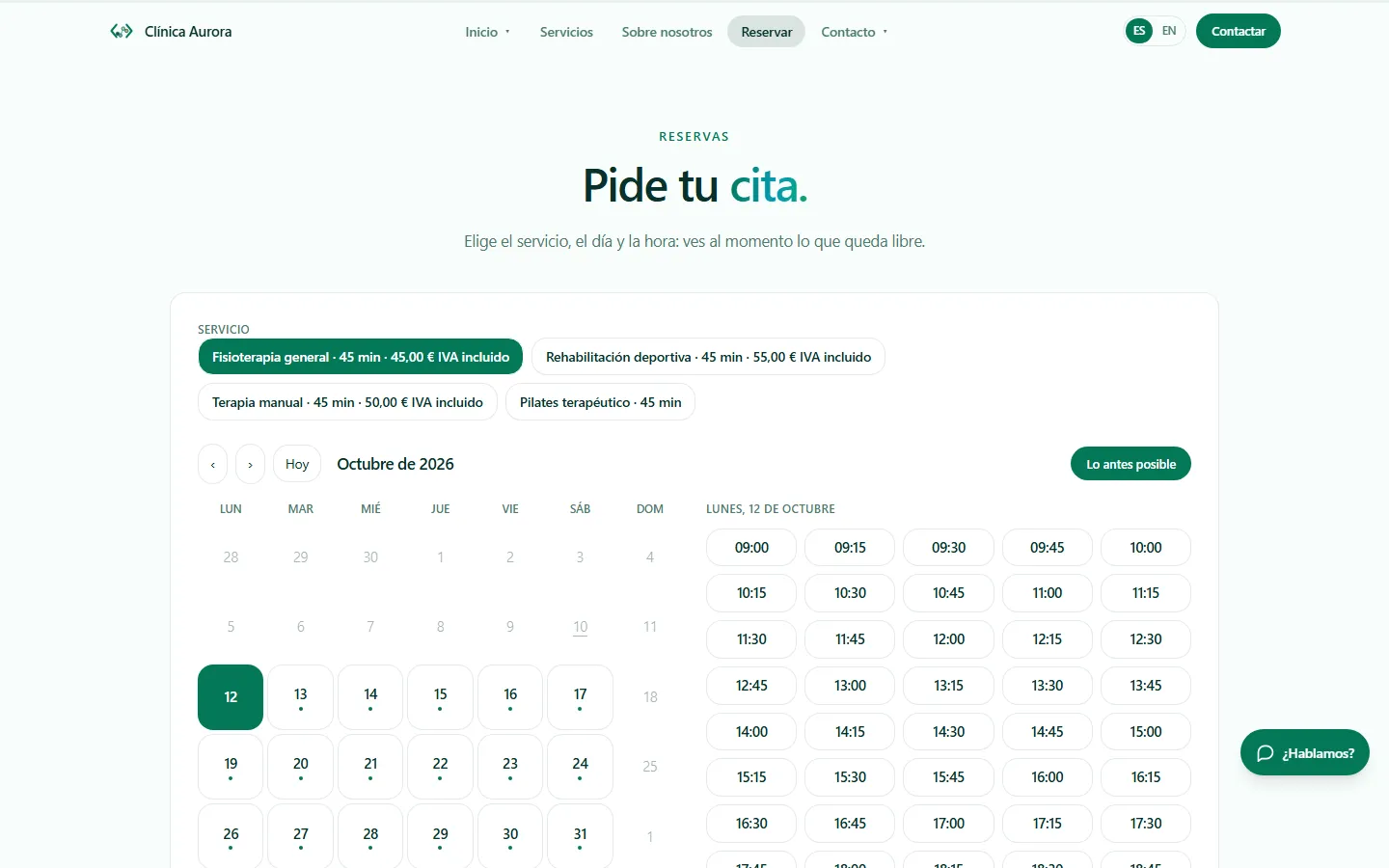
A law firm does not sell a product: it sells trust, and the first consultation is where it starts. A website with a booking calendar for law firms has to explain clearly what you do and make it easy to ask for an appointment without calling. Axon covers exactly that: the website, the calendar, an assistant and invoices. This guide goes through it in order.
A website that explains what you do
Your website is born with a law firm's usual sections: practice areas, team, frequently asked questions, location and a contact form. Each service can have its own page, with its title and description, so that someone searching for «family lawyer» or «employment lawyer» lands on the right page.
It is in Spanish, English and Catalan, with one address per language, and everything is edited from the panel: texts, photos, colours and menu. The legal pages (legal notice, privacy and cookies) come from a template with your details that you can replace with your own text. The template is a base, not advice: reviewing it is for you and your adviser.
The first consultation, by appointment
You define the first consultation as a service: its duration, who takes it and, if you want, its price. Someone looking for help picks a day and time in the calendar, leaves a name, email and phone number, accepts the privacy information and gets a confirmation. The appointment has its own page, where they can move or cancel it.
You can offer the consultation by video call: the service carries a video call link that arrives with the confirmation: Google Meet with Google Calendar connected and, otherwise, a Jitsi room. If you use Google Calendar or Outlook, appointments appear there, and what you already have in the calendar blocks those hours. If you offer several areas with different teams, each service is done by a different person and the calendar shares the hours without overlaps.
Reminders and deposits
The reminder goes out one day before by default by email, and you can add another. With SMS switched on, also by SMS, and with Axon Bot on WhatsApp with a template approved by Meta, only to people who agreed to it. If someone does not turn up, you mark «No show» and decide what the website does with people who accumulate them.
If you want to filter consultations, you can ask for a deposit when booking, charged in your own Stripe account, and you set it service by service.
The assistant out of hours
Many people look for a lawyer at night or at weekends. The assistant looks after your website chat and, with Axon Bot, your WhatsApp. It answers with the data you have published: practice areas, hours, location, how to book. It says it is an AI and, if it does not know something, collects the contact details and alerts your team in the inbox.

It gives no legal advice, does not assess cases and promises no results. If someone describes their situation, the assistant does not give an opinion: it hands the conversation to your team, who take it from the inbox within your hours.
Invoices
When the consultation ends, you can issue the invoice from the same panel: with your tax details, your own series, gap-free numbering and PDF. You can also send it by email, schedule recurring invoices and send payment reminders. An issued invoice is not altered: it is corrected with a credit note.
Common questions
- Can I hide the price of a consultation? Yes: the price is optional on each service.
- Can people book in another language? Yes, the website, emails and calendar come in the client's language.
- Can I keep using my domain? Yes, you connect your own domain from the panel.
Clients from abroad
If you serve foreign clients, your website is already in three languages and each has its own address. You can add others with the help of AI and review the translations before publishing them.
Team, practice areas and what Axon is not
Present each lawyer with their photo, their areas and how to get in touch, and make clear in the frequently asked questions how a first consultation works and what the person should bring. Axon is not case management or time-billing software: it covers your presence online, appointments and the first contact. Legal work stays outside it, and the assistant never does it.
Privacy of the people who write to you
Your website's forms carry the basic data protection information and the acceptance box. The cookie notice gives equal weight to accept all, reject all and configure, and visit measurement is not switched on without consent. Axon includes tools to export or delete a person's data, and two-step verification protects your account.
All of this is tooling, not an opinion: none of it replaces your adviser or the review of your website's legal texts, which are your responsibility.
How to start
You choose the "Law firm / advisory" sector, the website is born with sample practice areas and texts, and you change them from the panel. Request a demo and we will show you your website with your calendar, and see the plans under Pricing.