WhatsApp bot for gyms: classes and opening hours
A WhatsApp bot for gyms answers hours and rates, proposes the class booking the member confirms and hands over to your team. This is how Axon's works.
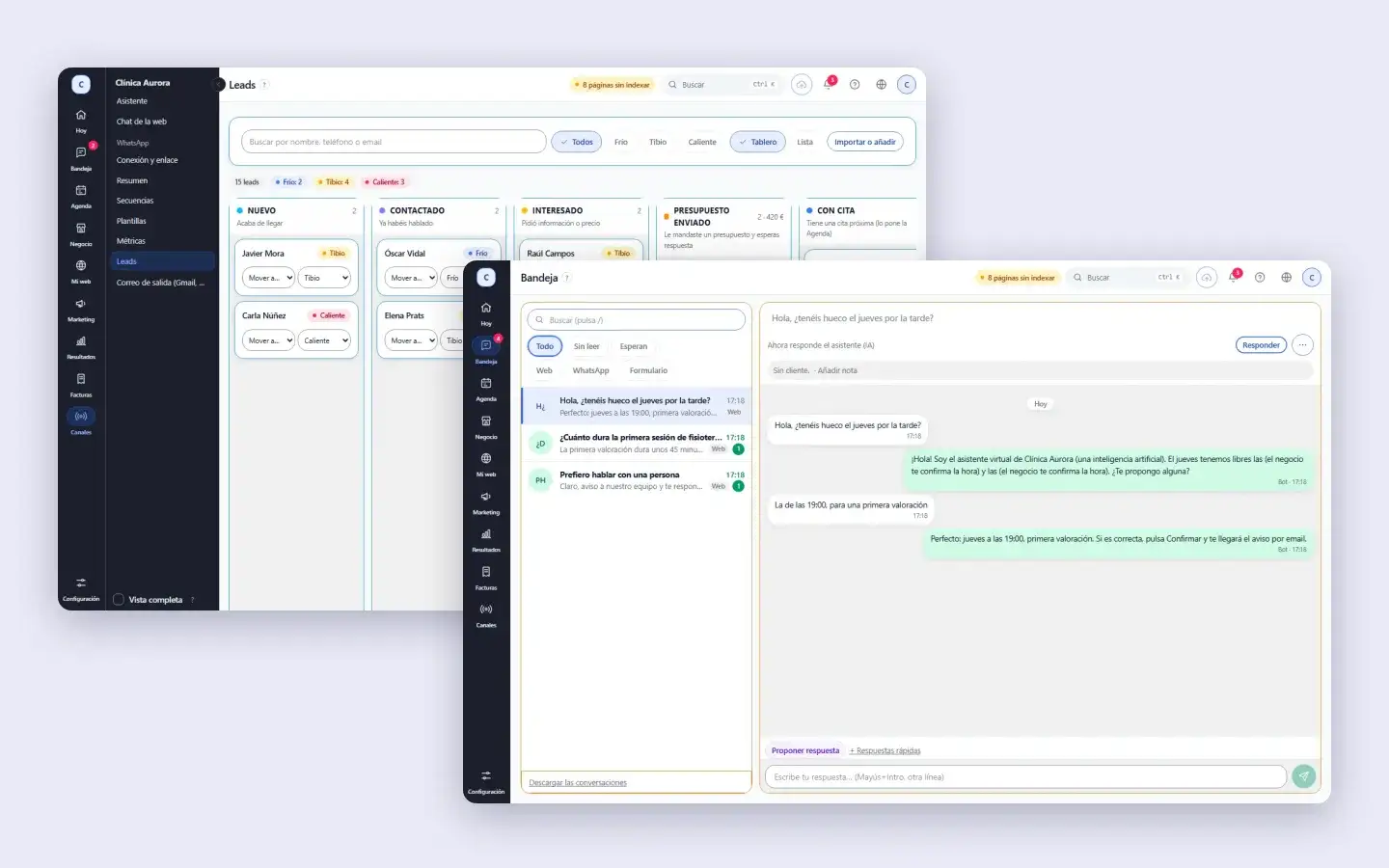
A WhatsApp bot for gyms handles the questions that repeat every day: hours, classes, rates, how to sign up. Axon's assistant answers with your centre's data, proposes the booking of a class or a training session and lets the person confirm it.
What it answers
It answers from what you have stored: the centre's opening hours, classes with their day and places, personal training, rates you have published, location and FAQs. If it does not have the data, it does not invent it and offers to pass the person to a human.
- Opening hours and the time of each class.
- Which activities there are and with which instructor.
- How to book a place, change it or cancel it.
- Rates and passes you have written on your website.
How it proposes a booking
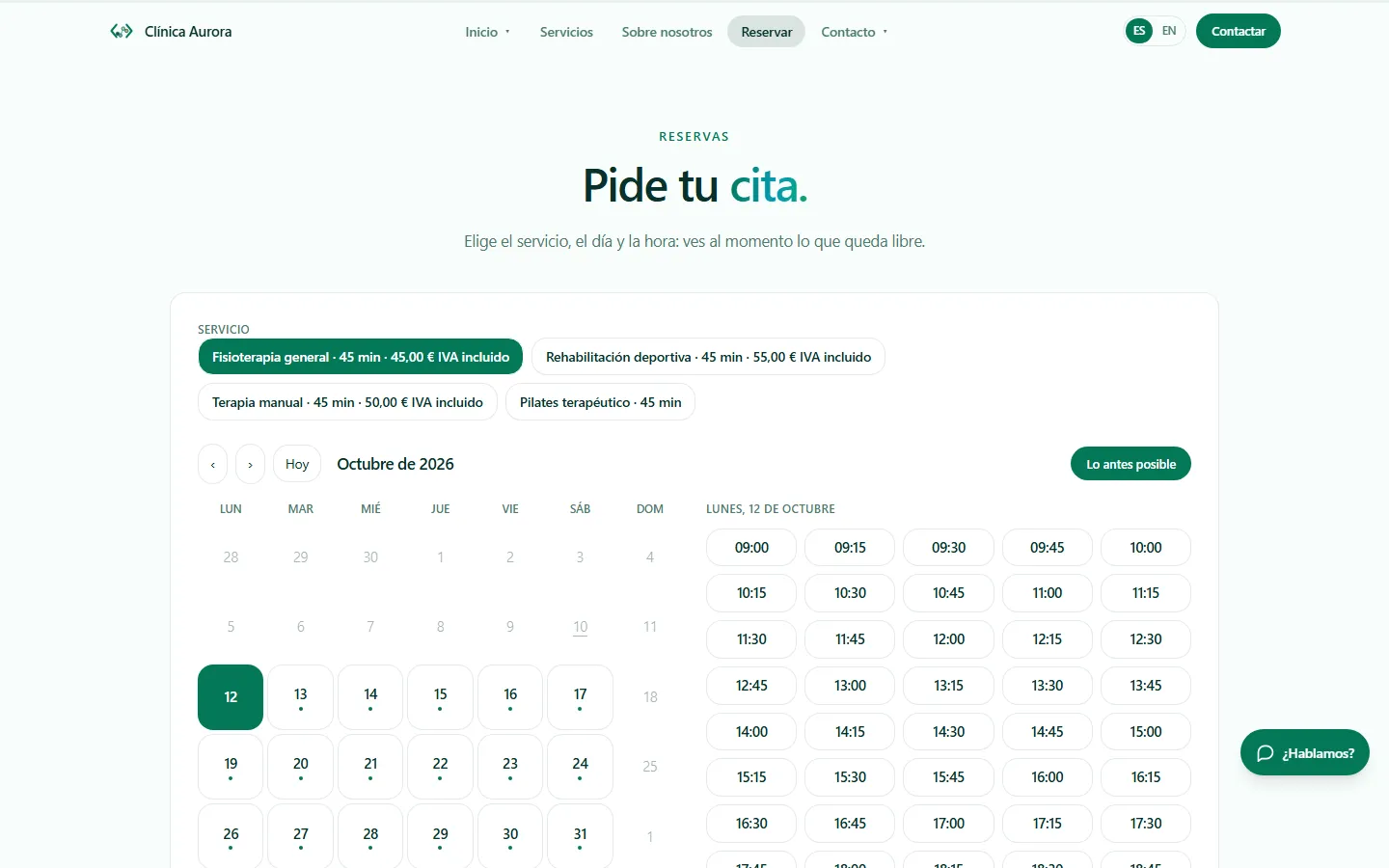
In Axon, a class has a fixed time and limited places, and the diary does not let anyone book more than fit. The assistant checks the free places in that class and offers only those that exist.
Before booking, it summarises what it understood (class, day, time, name) and asks whether to confirm. On WhatsApp, the first "yes" to that summary confirms it. Then the booking is made and the person gets a six-digit code to change or cancel it. The AI never books on its own.
If the class is full and you have a waiting list, a cancellation can be filled by the next person on the list.
When it hands over to your team
The assistant passes the conversation to your team when the member asks, when there is a complaint or a discount request (if you have set it up that way), or when the question is not in your data, such as a special fee or a change of terms. It only does so within your opening hours; outside them, it says when you are available and offers to take a message.
While a person answers from the Inbox, the assistant stays quiet in that conversation for the time you choose.
Consent and opting out
The first message gets a notice saying who is answering, that the text is processed with an AI service, and asking whether the person wants to talk to the assistant. With a "yes" the AI answers; with a "no" your team does. STOP, BAJA or BAIXA remove the person from the assistant and from what you write first.
Offers and campaigns need their own consent, separate from the one for bookings.
Reminders and follow-ups
With templates approved by Meta, the centre can send the booking reminder on WhatsApp to those who accept it, and follow-up messages such as "time to come back" or a birthday for people who stop coming, only to those who agreed to receive them. Meta charges separately for its messages, depending on your account.
What you need
WhatsApp and Axon Bot are Axon modules; what each plan includes is under Pricing. Without Axon Bot, messages arrive in the Inbox and your team answers.
What it does not do
It does not track fitness progress or give training or health advice: Axon does not process health data. With Axon Bot it reads a photo, a PDF or a voice note once the person has agreed; if it is anything health-related, your team handles it.
Common questions
Does it answer out of hours? Yes: the assistant answers at any hour with your centre's data, and anything needing a person stays in the Inbox with an alert for your team.
Can I see what was said? Every WhatsApp conversation appears in the Inbox, marked as such, and you can step in whenever you like.
What if a member wants to cancel a class? They ask and the assistant prepares the cancellation; the member confirms it like the original booking.
Next step
Ask for an Axon demo and we will show you how the assistant would answer with your gym's classes, places and hours.