WhatsApp Business API: how it works and what Meta charges
How the official WhatsApp Business API works: templates, the 24-hour window, who charges what and what your business decides. No invented figures.
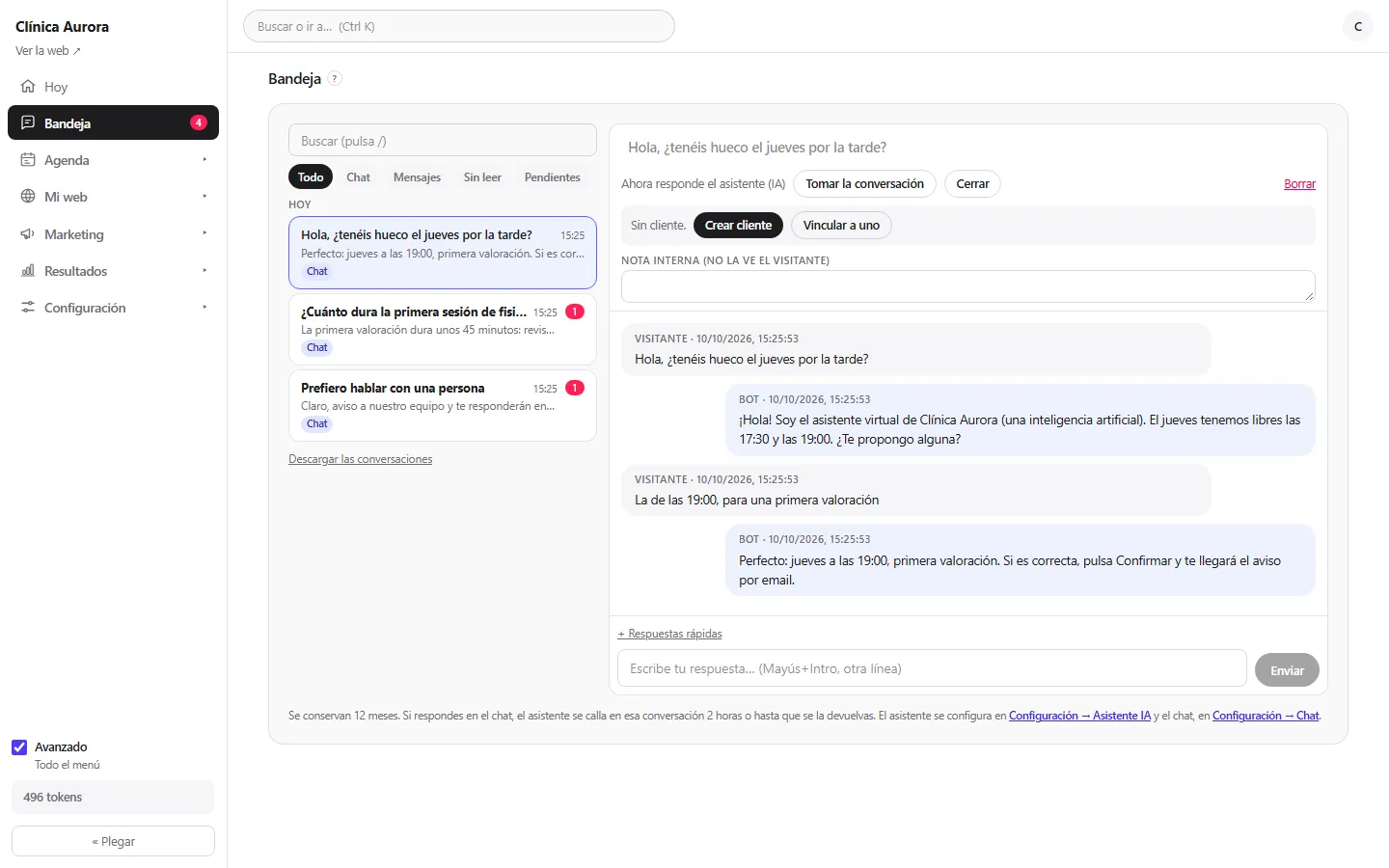
When a business wants to use WhatsApp with its team, its diary or an assistant, it ends up at the official WhatsApp Business API. It is not the phone app: it is the door Meta offers to platforms such as Axon to connect a number to a system. These are the rules that matter, without jargon.
The API is not the Business app
The WhatsApp Business app is for one person with one phone. The API lets several people on your team see and answer the same messages from one inbox, and lets an assistant or the diary's reminders work on the same number.
There is a practical consequence: depending on your account, Meta may leave the number in the Business app as well; if not, it moves to the API and leaves the app. If you want to use one already in the app, decide the switch first. In Axon you connect the number through Meta's official process and it is checked with Meta before anything is saved.
The 24-hour window
This is the rule that confuses people most. When a customer writes to you, a 24-hour window opens from their last message. Inside it you can reply with free text. Outside it, WhatsApp does not let you write to them with just any text.
In the Axon Inbox it looks like this: you reply and the message goes to the phone before it is saved; if the window is closed, the Inbox tells you instead of pretending it was sent.
Approved templates
To write first, or after the 24 hours have passed, Meta requires a template: a text Meta has reviewed and approved in advance, with blanks for a name or a date. You cannot send a template that is not approved.
In Axon the templates are a closed list covering the usual needs of an appointment business: the appointment reminder, the review request, "time to come back", the customer who did not show and the birthday message. They are requested in the customer's language and only go to people who accepted WhatsApp messages. If a template is not yet approved, it is not sent.
Who charges what
Be clear here, because two things get mixed up.
- Meta charges the business, on its own WhatsApp Business account, according to the rates Meta publishes at any time. Axon does not set them, does not collect them and cannot promise you a figure: check them with Meta.
- Axon counts the messages it sends for you and deducts them from what your plan includes. Plans are under Pricing.
Axon adds no margin on what Meta charges because it does not collect it: what your number spends at Meta you see in your Meta account.
Consent: the rule that is not Meta's
Even if Meta let you write, your customer must have agreed. In Axon, WhatsApp reminders and follow-ups only go to people who ticked that they accept WhatsApp, and every message respects opt-out. The AI, too, does not read or answer a chat until the person says yes to the opening notice.
What your business decides
Before connecting, be clear on three things:
- Which number you will use (depending on your account, Meta may leave it in the Business app as well; if not, it moves to the API and leaves the app).
- Which messages should go out on their own (reminders yes, promotions with care) and to whom.
- Whether only your team answers from the Inbox or an AI assistant does too.
Axon handles the rest of the connection and stores the access encrypted, never showing it on any screen.
An example with a reminder
A customer books on Tuesday for Friday. On Thursday, Axon sends the reminder with an approved template, because more than a day has passed since their last message. If the customer replies "can I move it to six?", a 24-hour window opens and your team, or the assistant if you have Axon Bot, can answer with free text. After that day, a template would be needed again. That back and forth is what Meta regulates, and the Inbox tells you when the window closes.
Next step
If you already have a number and want to see how it would look, read about WhatsApp on the Axon website and the plans under Pricing. For Meta's rates, the source is always Meta.